

TESSY 自動化整個單元與模組測試流程,包括針對不同目標系統的嵌入式 C/C++ 軟體執行回歸測試(regression testing)。易於安裝與操作的測試工具,TESSY 能引導使用者完成單元測試工作流程。從專案建立、測試設計與執行,到結果分析與報告。TESSY 亦負責整體測試架構及測試管理,內容涵蓋需求管理(requirements measurement)、覆蓋率量測(coverage measurement)及可追溯性(traceability)。
觀看基本功能
下圖呈現 TESSY 的核心優勢。若您想深入了解 TESSY,歡迎與我們聯繫。
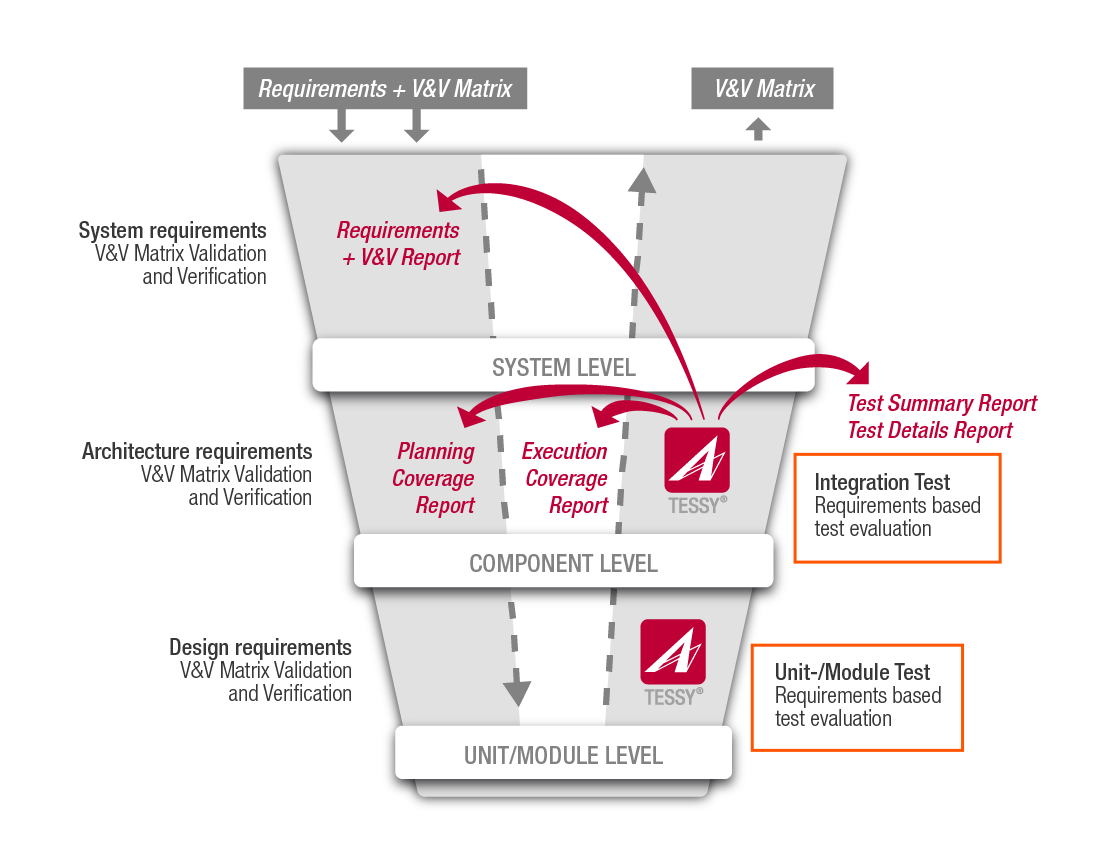
TESSY與標準規範 (TESSY and Standards)
- Module tests according to
IEC 61508, all SILs
DIN EN 50128, all SILs
- Unit / Integration tests according to
ISO 26262, all ASILs
IEC 62304, all classes - Tests low-level requirements of components according to
DO-178B/C, all levels - Tests according to various other standards like
DIN EN ISO 13849, ISO 25119, General Principles FDA, ...
檢視認證報告(View Certification Report)
TESSY的功能特色
- 管理你的測試專案(Manage your test project)
- 測試需求的管理、連結及追蹤(Define, link and trace requirements)
- 使用CTE設定測試內容(Design test cases within the Classification Tree Editor)
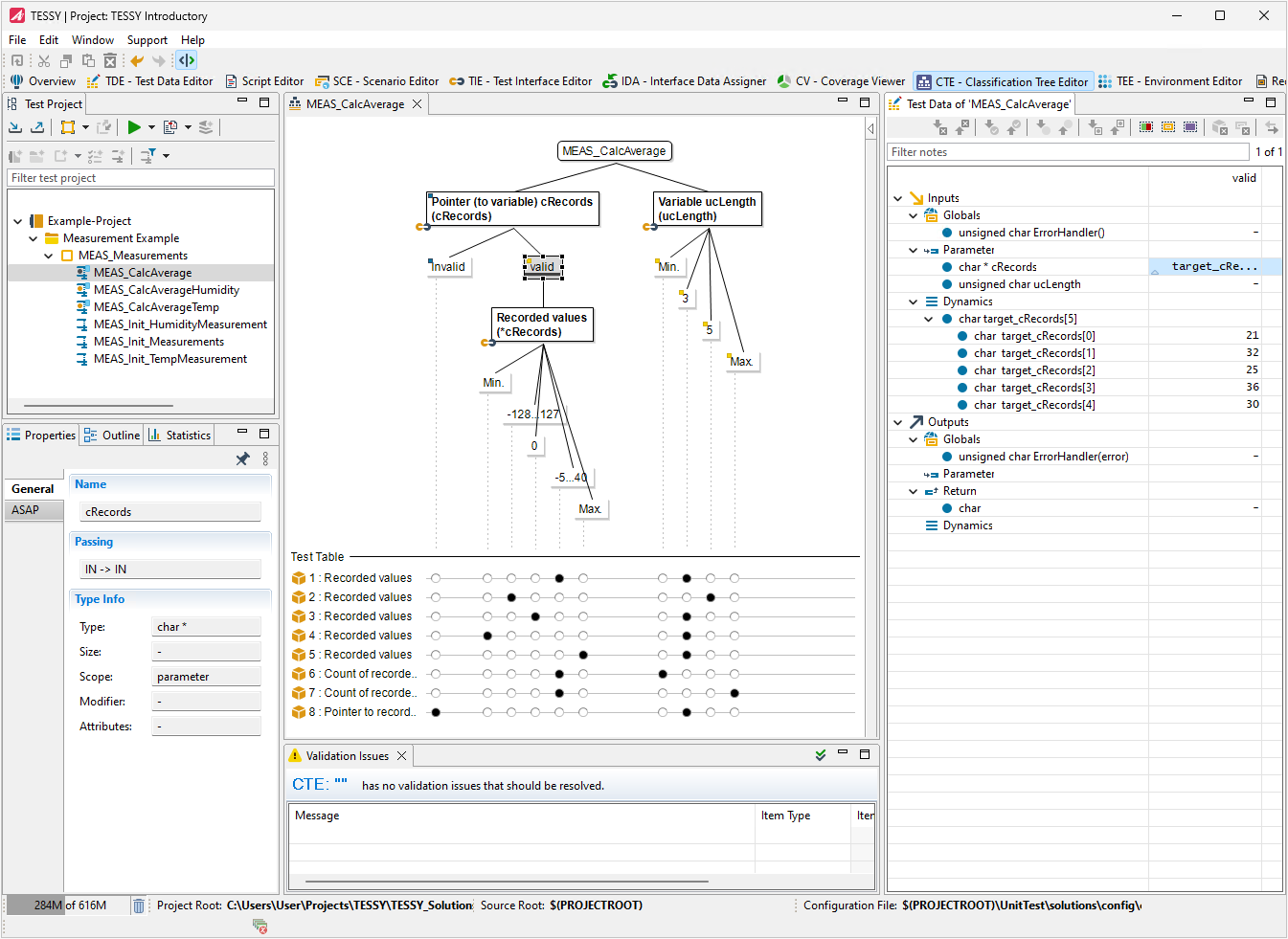
- 表格式編輯測試資料(Edit test data within the tabular Test Data Editor, TDE)
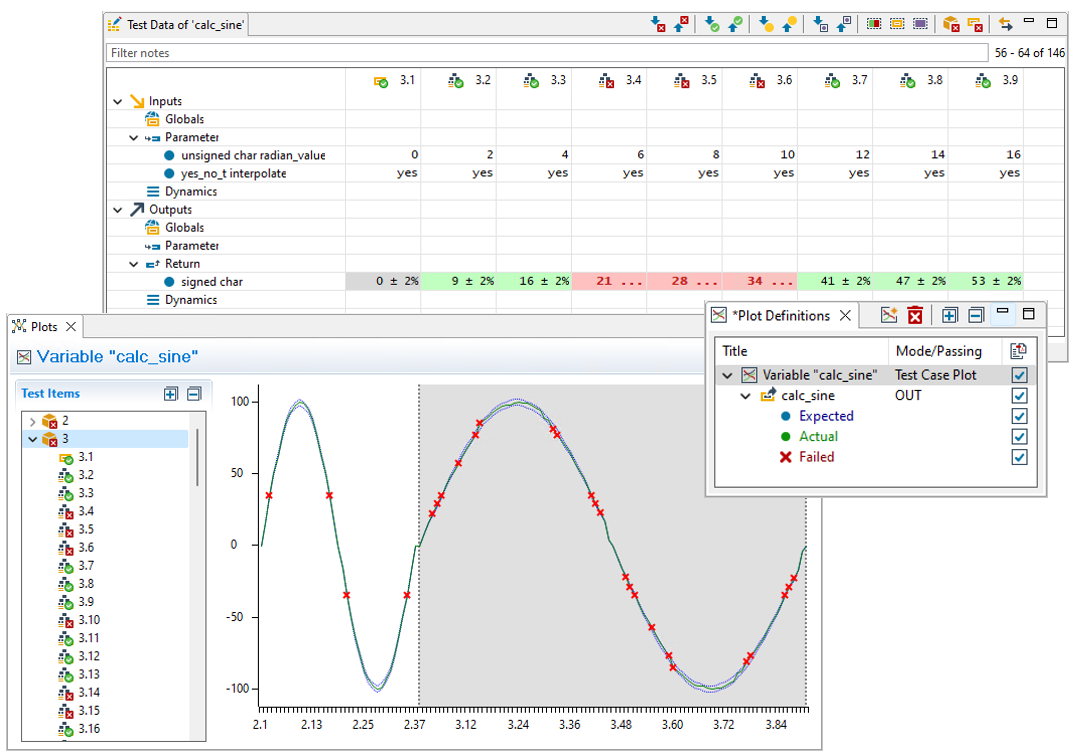
- 依測試需求加入自訂程式碼(Add additional code)
- 選擇執行各種測試方案(Testing variants)
詳情參考連結(View Certification Report) - 分析測試結果(Analyze the test results)
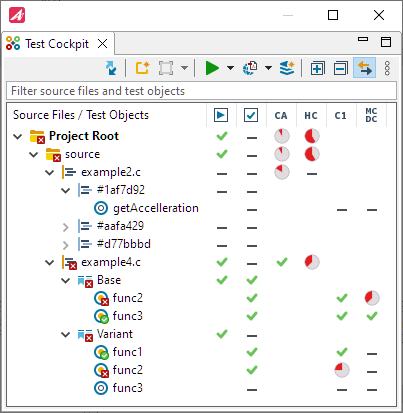
- 分析程式執行覆蓋率(Analyzing Code Coverage)
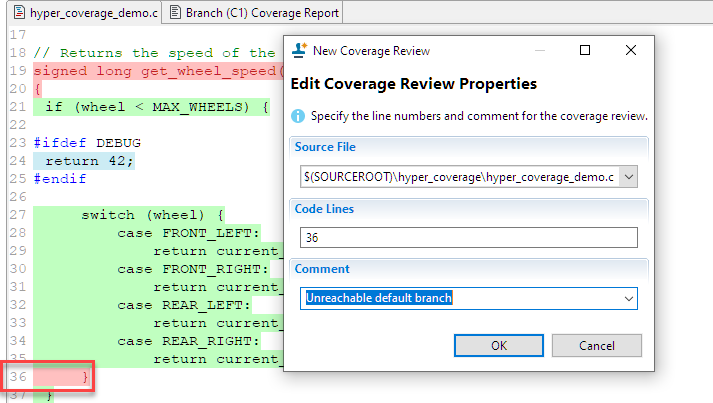
- 覆蓋率檢討(Coverage Review)
- 元件/模組測試(Test your components)
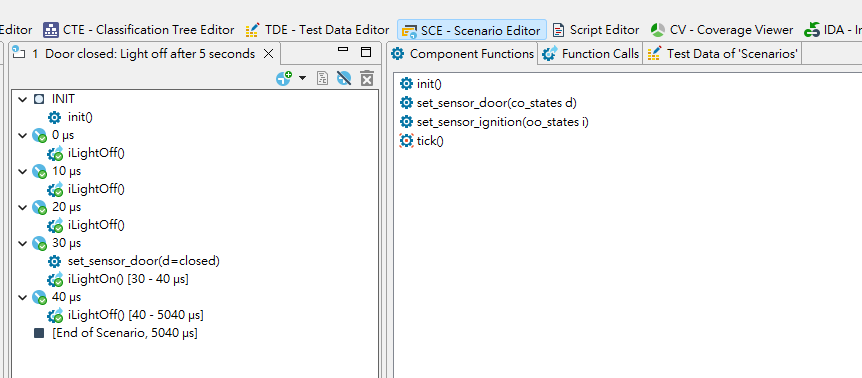
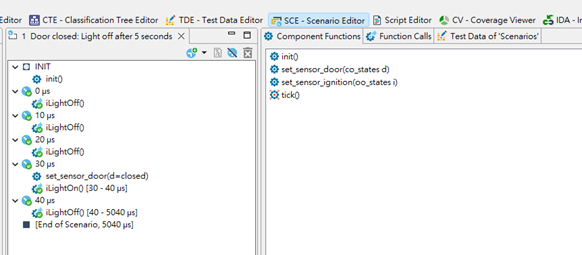
使用Scenario Editor定義測試情境,執行元件/模組測試
Define scenarios in the Scenario Editor (SCE) and test components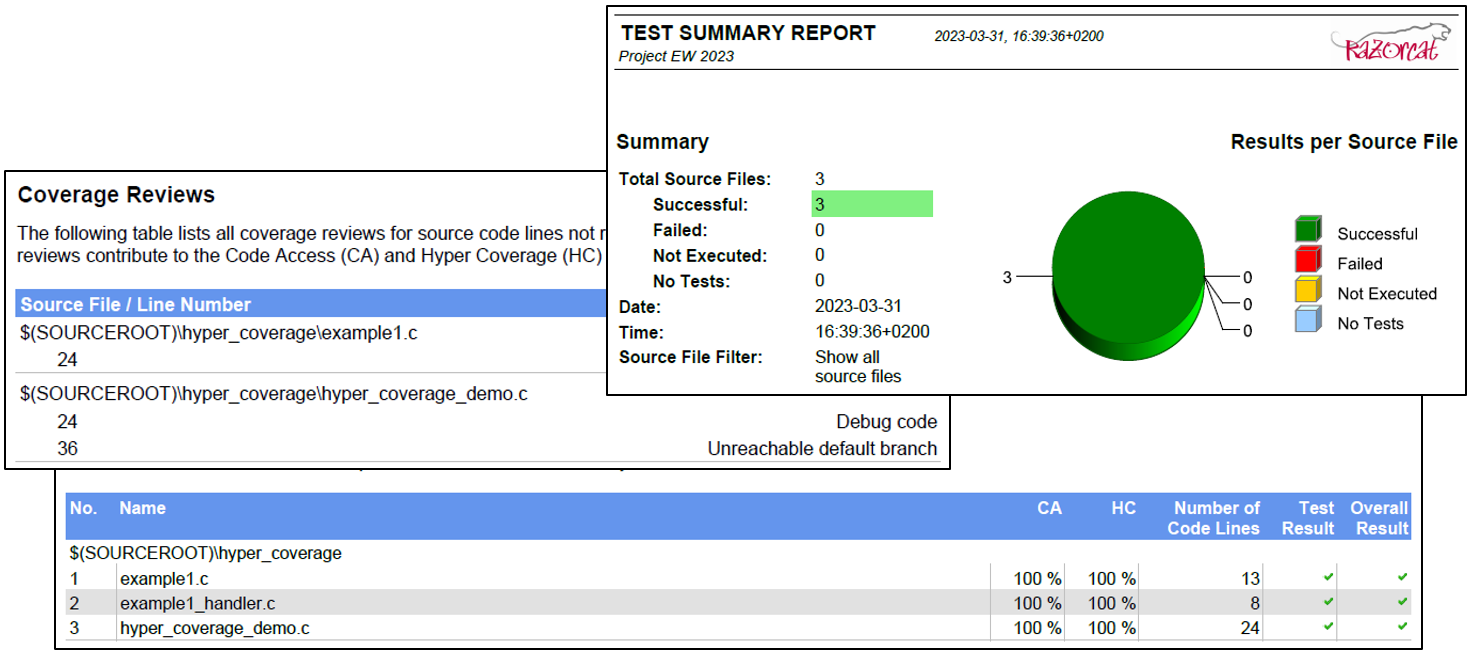
- 產生測試計畫與測試結果報表(Report the test plan and the test results)

- 支援的各式開發環境(Supported compiler / debugger)
詳情參考
-
✓ Statement Coverage (C0)
✓ Branch Coverage (C1)
✓ Decision Coverage (DC)
✓ Modified Condition / Decision Coverage (MC/DC)
✓ Multiple Condition Coverage (MCC)
✓ Entry Point Coverage (EPC)
✓ Function Coverage (FC)
✓ Call Pair Coverage (CPC)
TESSY優點(Your benefits)
- 單一工具即可管理整個測試流程
- 資料記錄、管理與報告生成全面自動化,維護成本降至最低
- 人工操作大幅減少,驗證流程更具延展性、更透明,並顯著降低錯誤風險
- 報表功能強大,能快速產出符合法規與主管機關要求的標準報告
- 直觀的資料呈現讓您專注於測試與流程探索,資訊一目了然,不再浪費時間搜尋